DataMagik Documents
DataMagik Documents
Create, version, and generate professional PDF and label templates with HTML, CSS, and Go template syntax.
Jul 21, 2026 Read More
Design Plex customer labels in your browser — and save them straight back to Plex.
A drag-and-drop editor for the customer label formats in your Plex PCN, with real data on the canvas, checks before you print, an exact ZPL preview, and saves you can see before they run.
What it is
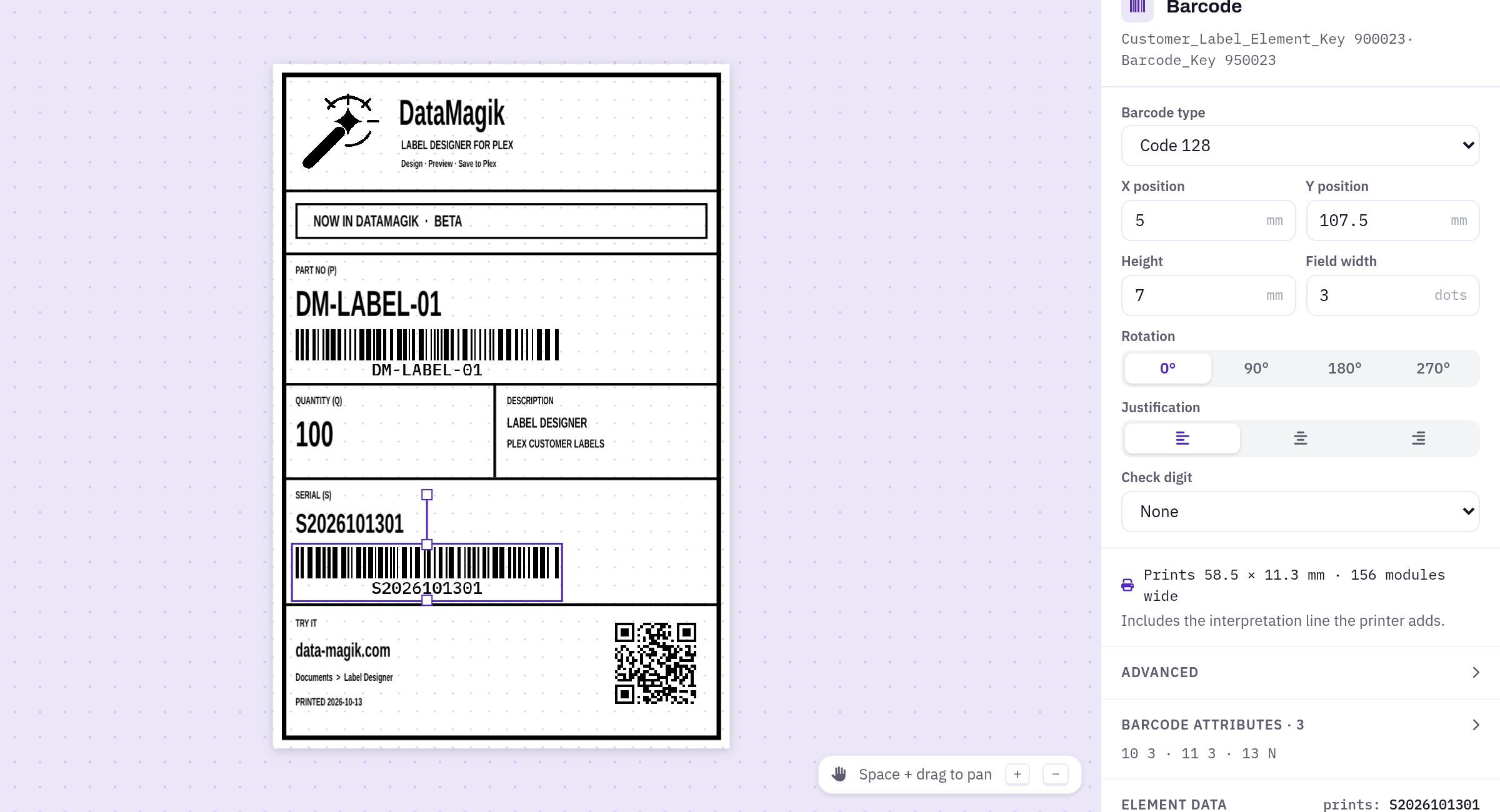
The Label Designer opens the customer label formats already stored in your Plex PCN — container, master unit, gage, location, supply and part labels — and lets you edit them visually: text, text blocks, lines, boxes, images and seven barcode types, with rulers, a grid, snapping, rotation and undo.
Your labels stay in Plex. DataMagik reads them through Plex's own data sources and writes your changes back the same way, so the printing you already run in Plex keeps working.
Real data, not field names
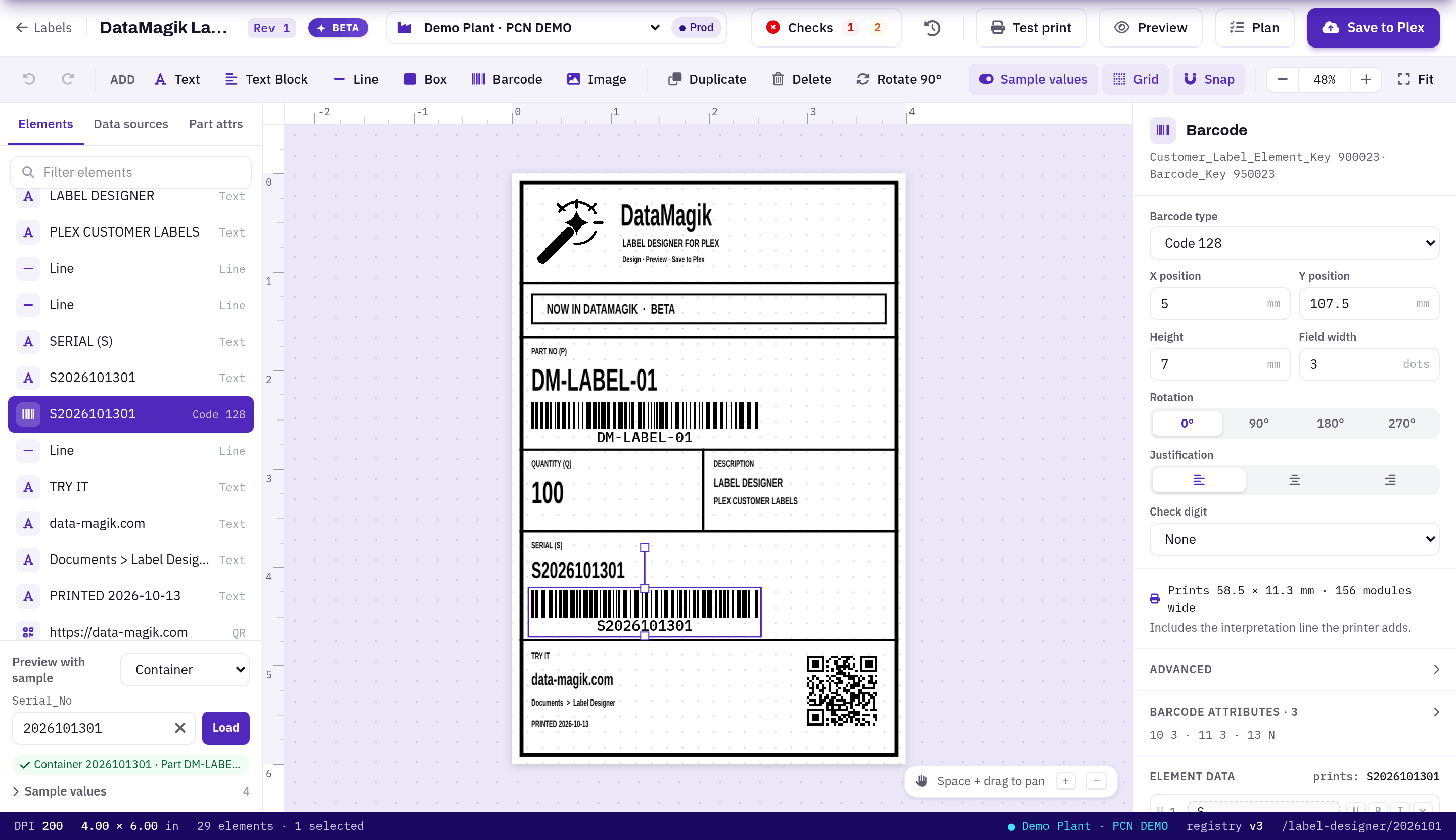
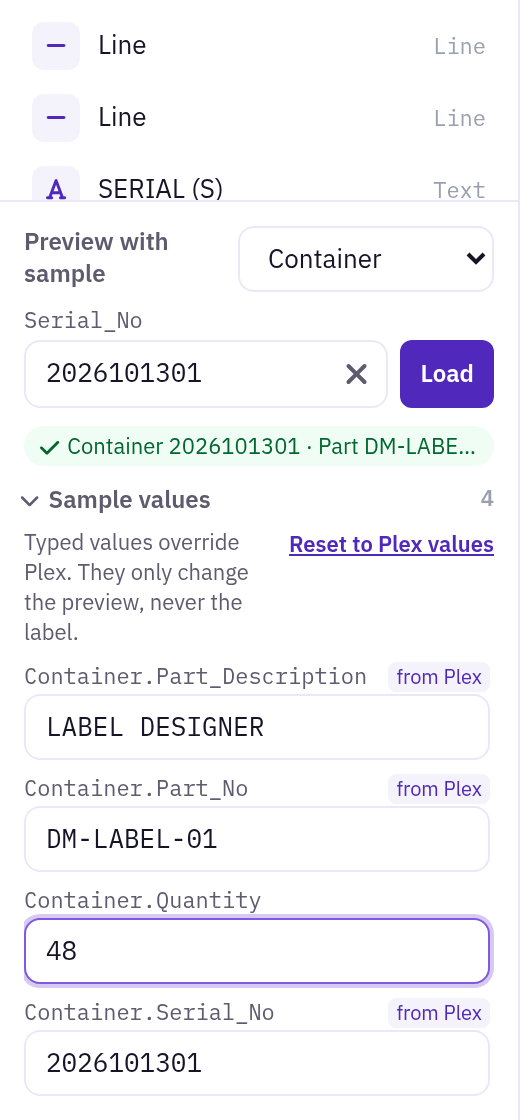
Type a serial number and the canvas fills with that container's real values from Plex. Every other field the label prints is listed beside it — fill in a quantity, a customer part or a PO, and the canvas, preview and checks all use it.
Barcodes are drawn at the size the printer will produce, including the human-readable line underneath and QR codes at their true printed size, so what lines up on screen lines up on the label.
Built for Plex
Search every Plex label data source for a field by name and drag it onto the label — no hunting through data source lists.
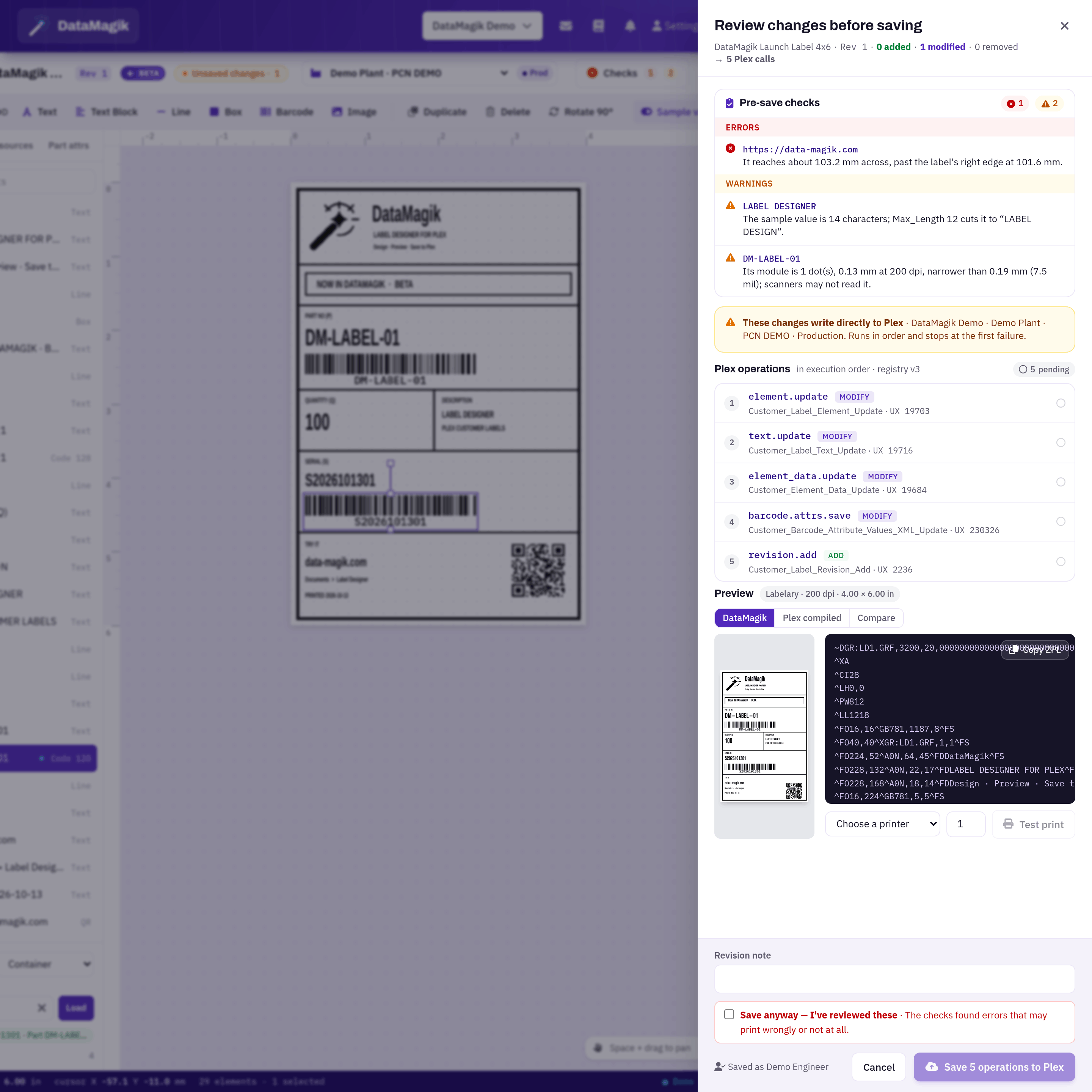
Elements off the label, overlaps, values that will be cut off, barcodes too thin to scan and fields that no longer exist are flagged as you edit.
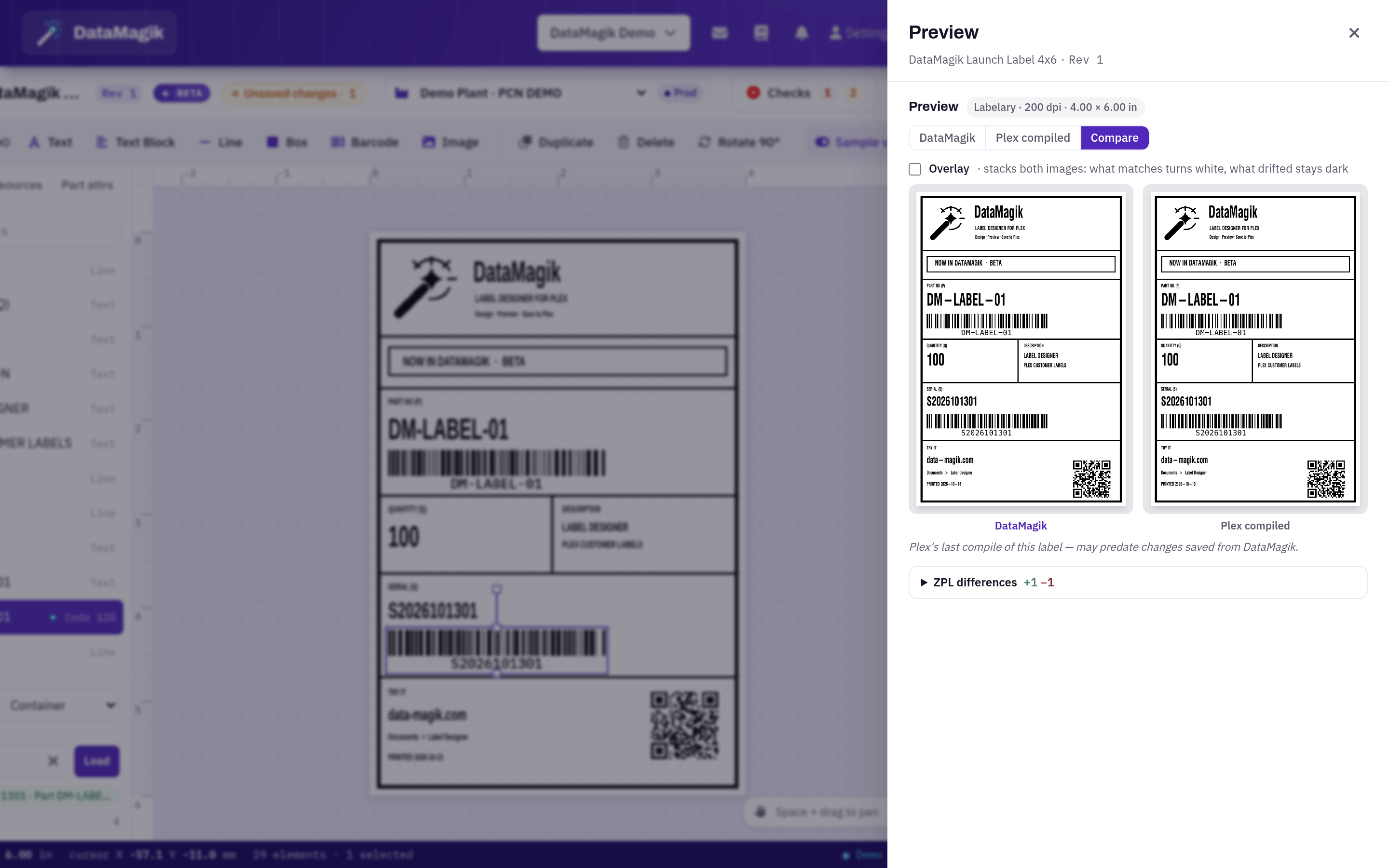
See the printed result, compare it with Plex's own compiled label, and send a test print to your Zebra printer.
Saves you can see
Every save shows the checks, the PCN it will write to, and the exact Plex calls it will make, in order. Saves stop at the first problem, never overwrite someone else's newer change, and write a revision in Plex you can restore later.
Before you start, DataMagik checks which Plex data sources your web-service login can use and gives you a ready-made list for your Plex administrator. Credentials stay on the DataMagik server, and every change is recorded in the audit log.
Works with your team and your AI
Connect as many PCNs as you run — one per plant, or production and test — and switch between them from the editor. Licensed per company and limited to Builders.
AI assistants can read and edit labels through the DataMagik MCP server, planning each change first and saving only with approval, exactly as a person would.
Design Plex labels with real data, check them, preview them exactly, and save them back to Plex.
Read the Label Designer guideCreate, version, and generate professional PDF and label templates with HTML, CSS, and Go template syntax.
Create and manage the PDF/document templates DataMagik fills with your data.
Design Plex customer label formats in the browser and save them straight back to Plex.