API Bridge
Updated Jul 21, 2026
ConnectorsAPI Bridge
API Bridge resources are HTTP endpoints on your own network — an internal ERP API, a line-side service, a device — reached through your on-premise connector agent. You register a base URL and the methods you allow; then scripts, the REST API, and the AI assistant can call paths under it. Only registered resources and allowed methods are reachable, so nothing on your network is exposed by accident.
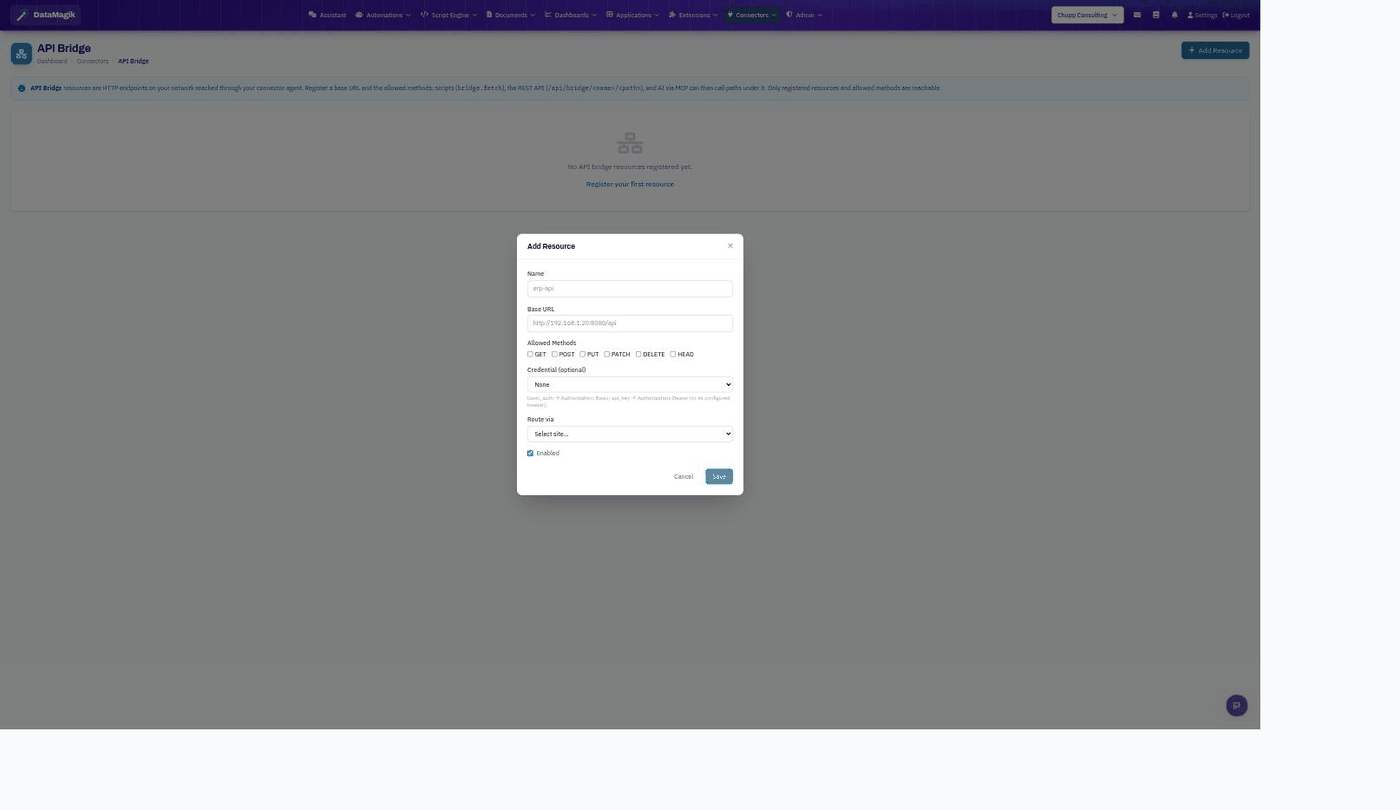
Registering a resource
- Click Add Resource and give it a Name (for example
erp-api). - Enter the Base URL on your network (for example
http://192.168.1.20:8080/api). - Check the Allowed Methods (GET, POST, PUT, PATCH, DELETE, HEAD) callers may use — anything unchecked is blocked.
- Optionally attach a Credential (Basic or Bearer, injected on its configured header) and choose which site (connector) routes the request.
- Leave Enabled on and save.
Calling a bridge resource
Once registered, the resource is reachable three ways, all scoped to the paths and methods you allowed:
- From a script:
bridge.fetch(...) - From the REST API:
/api/bridge/<name>/<path> - From the AI assistant via MCP (when the tool family is enabled).
Least privilege. Register the narrowest base URL that
still covers what you need, and allow only the methods you actually use. A caller can never reach a
host or method you didn't register.
Related: API Bridge runs over the same on-premise
agent as Connector Setup; store any auth it needs as a
Credential.