DataMagik Desktop
Updated Nov 27, 2026
DataMagikDataMagik Desktop
An app for your Windows or Linux PC that sends spreadsheet rows to Plex, updates custom fields in bulk and runs saved sets of Plex steps, without writing code.
DataMagik Desktop runs on your PC and signs in to Plex with your own web service user or Developer Portal key. You load an Excel or CSV file, check the rows, and send them to Plex test or Plex live. Your Plex credentials stay on your PC; they are never sent to DataMagik.
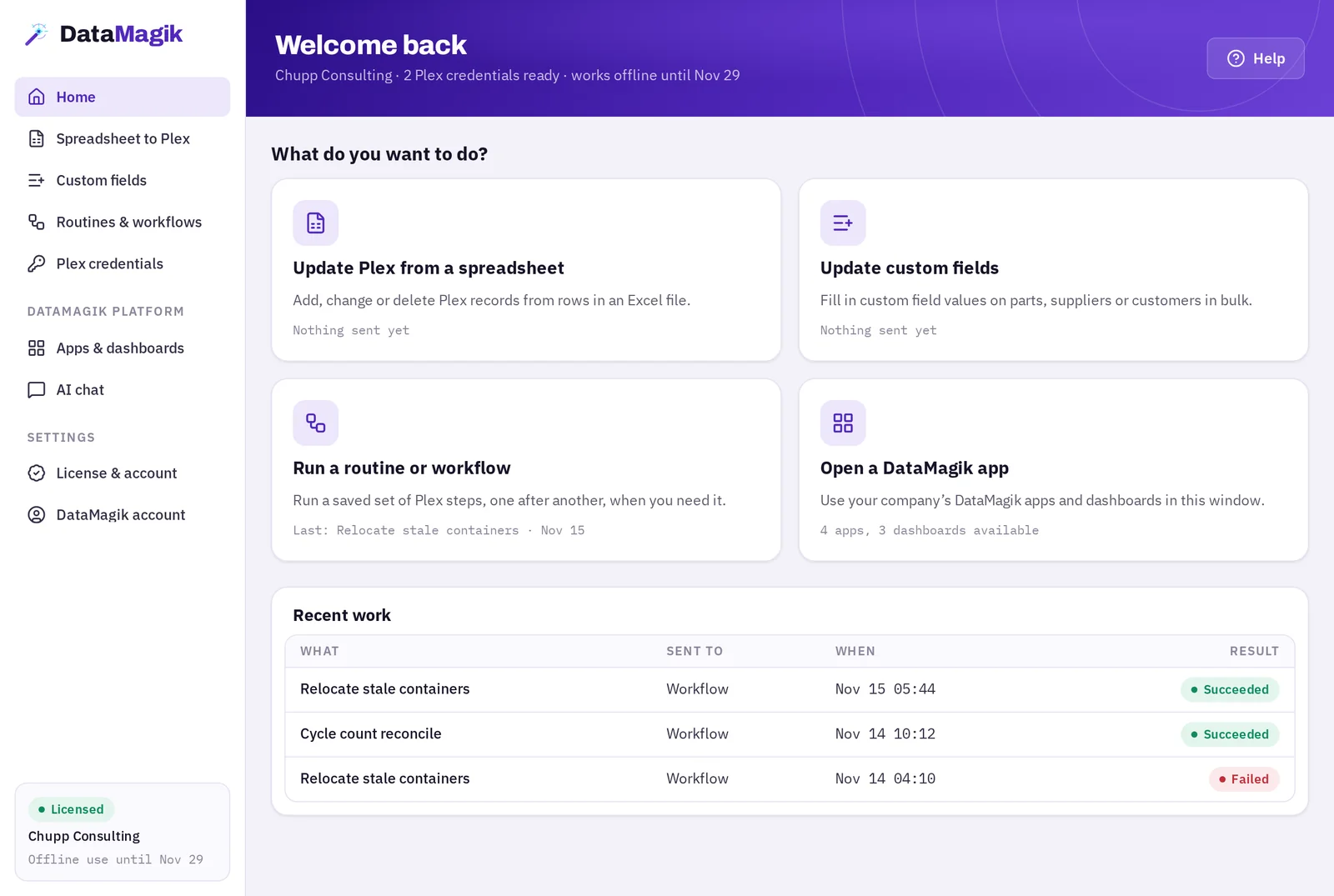
Home: pick a task, and see your recent uploads and workflow runs.
What you can do
| In the menu | What it is for |
|---|---|
| Spreadsheet to Plex | Add, change or delete Plex records from the rows of an Excel or CSV file, through a Plex data source. |
| Custom fields | Fill in custom field values on parts, suppliers, customers and other Plex records in bulk. Only values that differ from Plex are sent. |
| Routines & workflows | Run a saved set of Plex steps, one after another, on this PC when you press Run. |
| Plex credentials | The Plex logins this PC uses: web service users and Developer Portal keys. |
| Apps & dashboards and AI chat | Your company's DataMagik apps, dashboards and AI assistants, opened in the Desktop window. These need a DataMagik account. |
| License & account and DataMagik account | How this PC is licensed, updates, and the DataMagik account signed in on this PC. |
Help on every screen: choose Help at the top right of a screen for a short summary of its steps, with Open the full guide for the matching page here.
Guides
- Getting started with DataMagik Desktop: install, activate, add your Plex credentials, the Home screen, license and updates.
- Spreadsheet to Plex: send the rows of a spreadsheet to a Plex data source.
- Custom fields: update custom field values from a spreadsheet.
- Routines and workflows: what they are, and how to run them.
- Building workflows and classic routines: the workflow editor, and setting up a classic routine's sequences and parameters.
- Making rows from an earlier sequence: let a classic routine build a sequence's rows from what an earlier sequence returned.
- Apps, dashboards and AI chat: use your DataMagik account in Desktop.
- Troubleshooting and license errors: what each message means and what to do.