DataMagik Application Designer
What is the Application Designer?
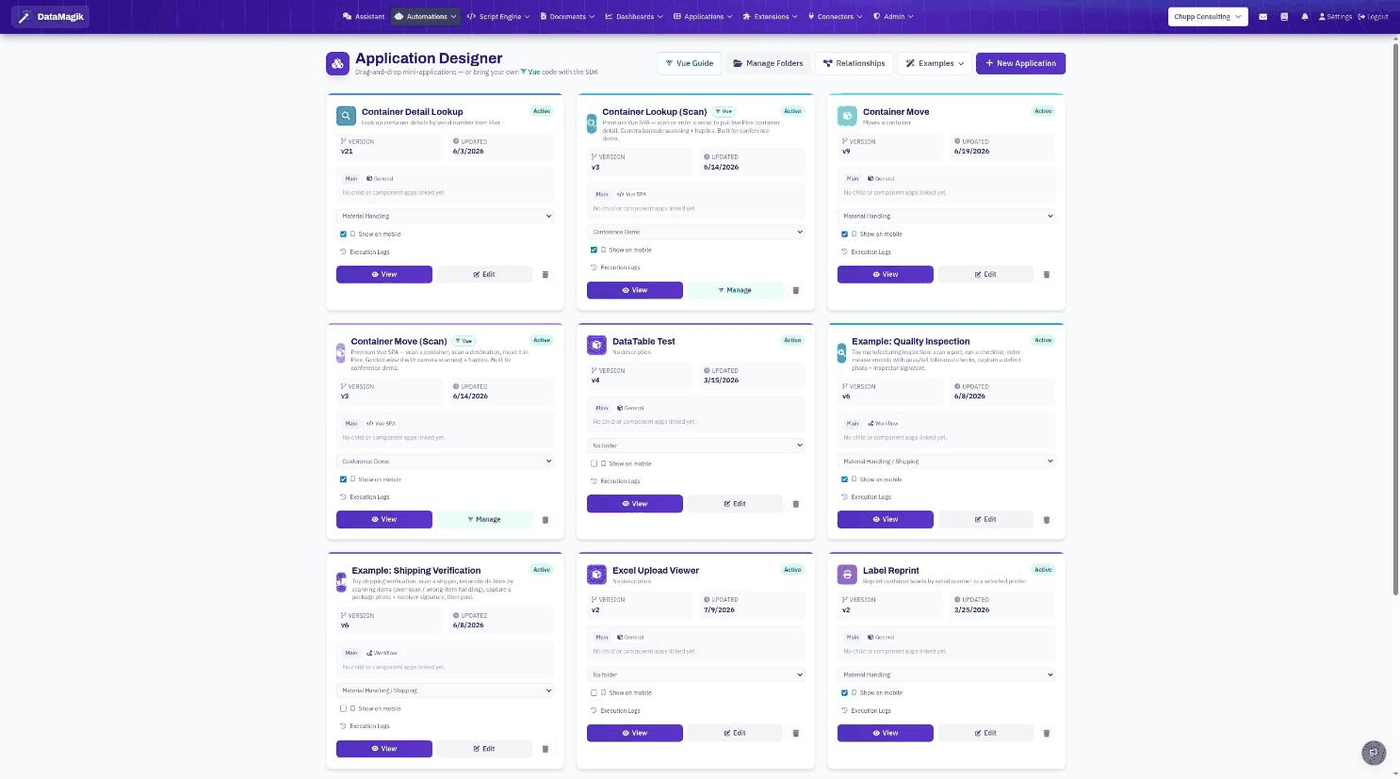
The DataMagik Application Designer is where you build real business applications on top of your live Plex and operational data — from a no-code, drag-and-drop canvas all the way to fully custom Vue single-page applications. Whatever you build is published as a fast, permission-aware app that runs on the DataMagik website, inside Plex, in the datamagik extend browser extension, and on the mobile app.
From simple drag and drop to infinite customization. You pick how deep you go: design visually with zero code, drop into the command line when you want your own toolchain, or reach for the SDK when you need something completely bespoke. Same platform, same data, infinite range.
Two kinds of apps
Every application has an app_type that decides how it is built:
- Layout apps (
app_type: "layout") — the default. Built entirely in the visual, component-based designer: drag components onto a canvas, bind them to data, and configure behavior with no code. - SPA apps (
app_type: "spa") — a custom Vue 3 + Vite single-page application that you author locally with the App SDK and publish as a versioned bundle. Maximum control for developers.
Both kinds are first-class: they share the same permissions, the same data access model, and run on all the same surfaces.
The three layers of customization
- The Low-Code Designer — compose screens visually and bind them to live data. No code required.
- The CLI — bring your own editor and toolchain. Develop locally with hot reload and publish from the command line or CI/CD.
- The SDK — build custom Vue components, call any declared data source, script, serial series, or printer, and emit events. There is no ceiling.
Core concepts
- Application — a named app with an icon, color, optional permission, and menu placement. Created in the designer or via
apps_create. - Components — the building blocks of a layout app (tables, forms, charts, buttons, containers) that you arrange and bind on the canvas.
- Data sources — the lookup tables, ODBC/SQL queries, scripts, serial series, and printers an app is allowed to use. For SPA apps these are declared in
dm.config.json. - Manifest / declared resources — the published list of resources an app may touch. It powers both editor autocomplete and server-side authorization: undeclared resources are refused.
- Versions — every publish creates a new version that goes live immediately; you can roll back instantly to any prior version.
- Permissions — apps can be gated by a permission so only authorized users see and run them.
- Menu folders — organize apps in the navigation and optionally show them on mobile.
Where your apps run
Design once — your application is automatically available:
- On the DataMagik website, via a shareable link and the app menu.
- Inside Plex, through the
datamagik extendbrowser extension, so people launch it in the system they use all day. - On the mobile app, for full access from the floor, the road, or anywhere.
Screen-context parameters (for example an order or shipper id) arrive the same way on every surface, so one app behaves consistently everywhere.
In this guide
- Getting Started — build your first low-code app in minutes.
- The Low-Code Designer — the visual canvas in depth.
- Working with Data Sources — lookup tables, queries, scripts, serials, printers.
- Logic, Actions & Events — make your apps interactive.
- Permissions & Access Control — gate apps and resources.
- Publishing, Versions & Rollback — ship and roll back safely.
- Custom Vue SPA Apps — go fully custom with Vue 3.
- Installing & Using the CLI — the
dmcommand line. - The App SDK Reference — the
@datamagik/app-sdkAPI. - VS Code Extension — author from your editor.
- Troubleshooting & FAQ — common issues and fixes.