Shift Management
Updated Jul 21, 2026
DataMagik AutomateShift Management
Shifts define the work periods for your manufacturing operations. The
traceability & serialization system uses them
to determine the current shift code — the [SHIFT] token — and for shift-based serial
number resets. Each shift has a code (like A, B, C) that can appear in serial numbers.
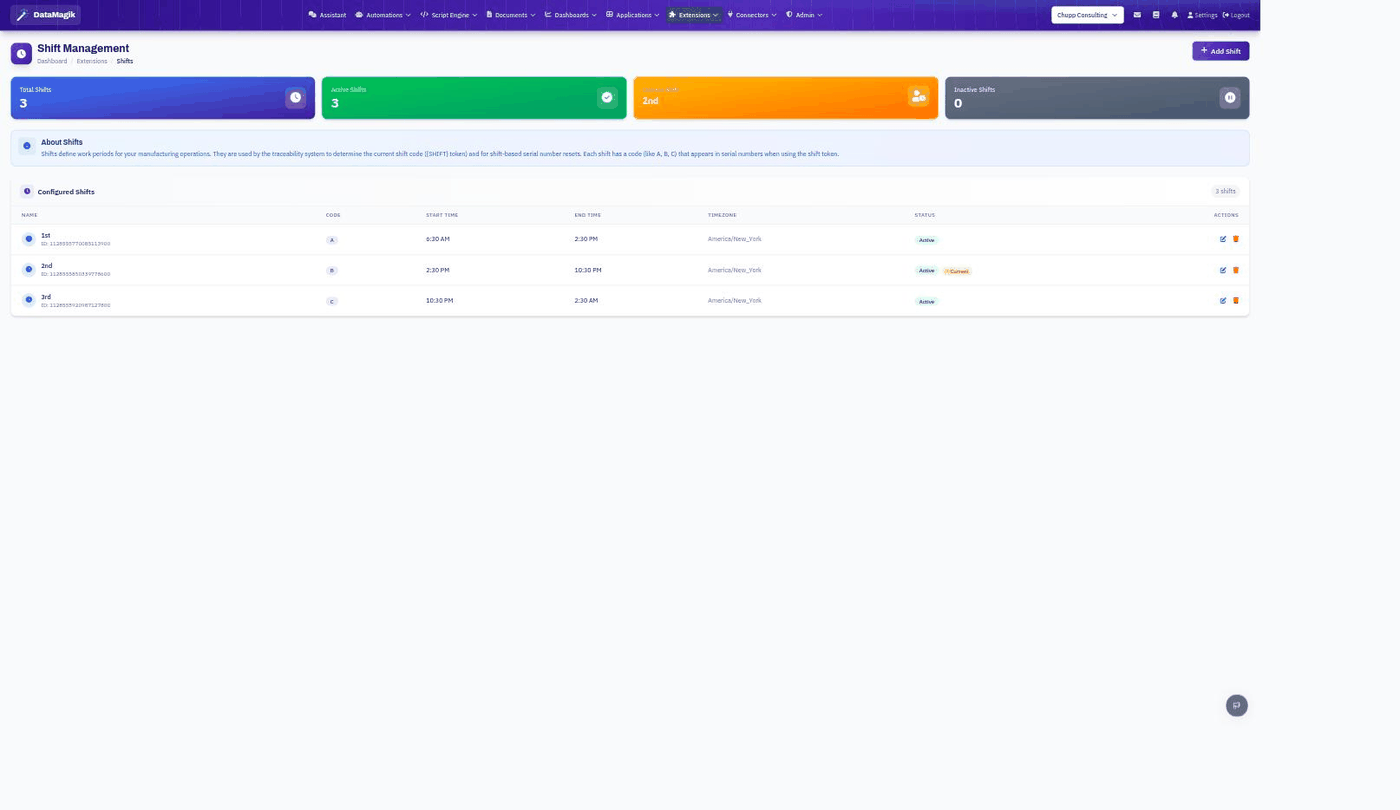
Configuring shifts
- Click Add shift.
- Give it a name (for example "1st") and a code (A, B, C…) — the code is what appears in serials via the shift token.
- Set the start time, end time, and timezone. A shift that crosses midnight (say 10:30 PM–2:30 AM) is fine.
- Mark it Active. Save.
The tiles at the top summarize total, active, and inactive shifts, and highlight which shift is current right now based on the clock and your timezones.
Why it matters. Because serials can embed the
[SHIFT] token and reset per shift, accurate start/end times and timezones are what keep
shift codes and serial sequences correct on the floor.Related: Use the shift code in serial formats under
Traceability & Serialization.