Managing AI Assistants
Managing AI Assistants
The AI Assistants screen (/datamagik/admin/ai-assistants) is where administrators configure
the native end-user assistant — its persona, which model it uses, who is allowed to chat with it, and which platform
tools it may call. Assistants run on your company's configured AI provider (see
AI Provider Keys); no external workflow tool is required. Managing assistants needs
the DataMagik - Security permission.
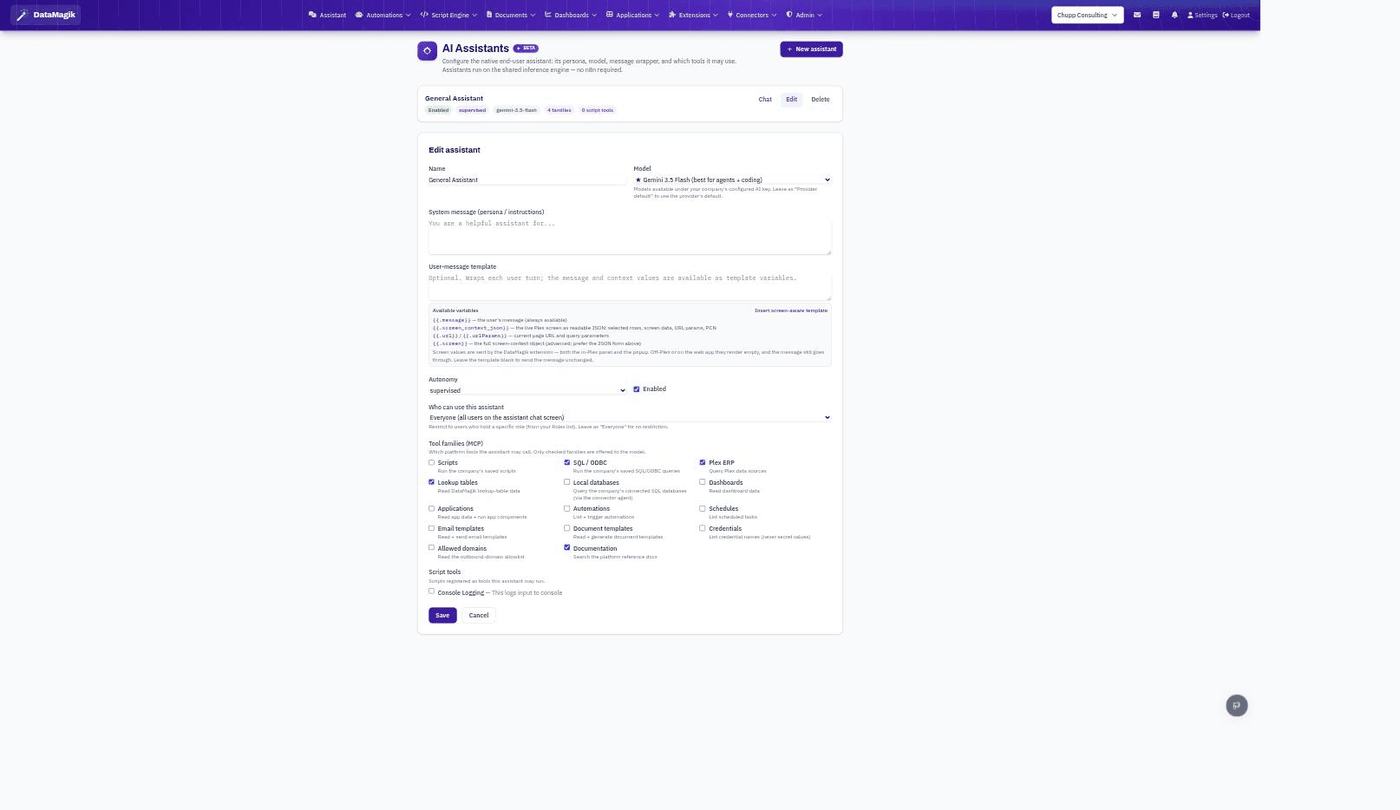
The screen has two tabs: Assistants, the list you edit, and Feedback, the 👍 / 👎 ratings people gave assistant answers, with any note they left and the tools each answer used.
Creating or editing an assistant
Click New assistant, or Edit an existing one. The key settings:
| Setting | What it controls |
|---|---|
| Name | How the assistant is labeled in the chat picker. |
| Model | Which model it runs on. Leave as Provider default to use your configured provider's default; the list reflects your company's active AI key. |
| System message (persona / instructions) | The persona and standing instructions — who the assistant is and how it should behave. |
| User-message template | Optional. Wraps each user turn. Use it to inject
context variables such as {{.message}} (the user's text) and {{.screen_context_json}} (the live
Plex screen as readable JSON: selected rows, screen data, URL params, PCN). Insert screen-aware template
fills in a ready-made one. Leave blank to send the message unchanged. |
| Starter prompts | One per line, up to 6. Shown as clickable examples when a chat is empty. |
| Autonomy | supervised (the default) asks the person before any change;
manual cannot make changes at all; autonomous — offered only when your plan includes AI
Agents — may act without asking. Turning off every Can change switch below sets it to manual. |
| Enabled | Turns the assistant on or off. |
| Who can use this assistant | Restrict to users who hold a specific role, or leave as Everyone. |
{{.screen_context_json}}). A blank template means the model never receives the
screen context, even when the extension is sending it.What it can use
Under What it can use, choose which groups of platform tools the assistant may call — Data, Documents, Automations & scripts, Applications, Dashboards, Email, Files & connectors, EDI, Shop floor, Website and Platform. Each group has a Read switch (look things up) and a Can change switch (make changes); expand Which tools to pick individual tools. Only what is switched on is offered to the model. Credentials are only ever offered by name, never their secret values.
Capabilities covers what the platform does itself: Charts, File export, Memory and Questions, plus Proposals and Tell people when your plan includes AI Agents. Charts and file export are on unless you turn them off.
Script tools lists the scripts registered as tools; check the ones this assistant may run.
Turning an assistant into an agent
If your plan includes AI Agents, each assistant has a Make this an agent button. It moves the assistant from this page to the AI Agents list, where it can run on its own on a schedule, on a condition or from an automation. See AI Agents.