Building Automations
Building Automations
Create no-code automations that connect Plex and your data sources and run your business logic.
Open Automations from the navigation. An automation is a workflow you build without code — it reacts to a trigger and runs a series of actions against Plex, your databases, documents, and more. The manager organizes your automations into folders.
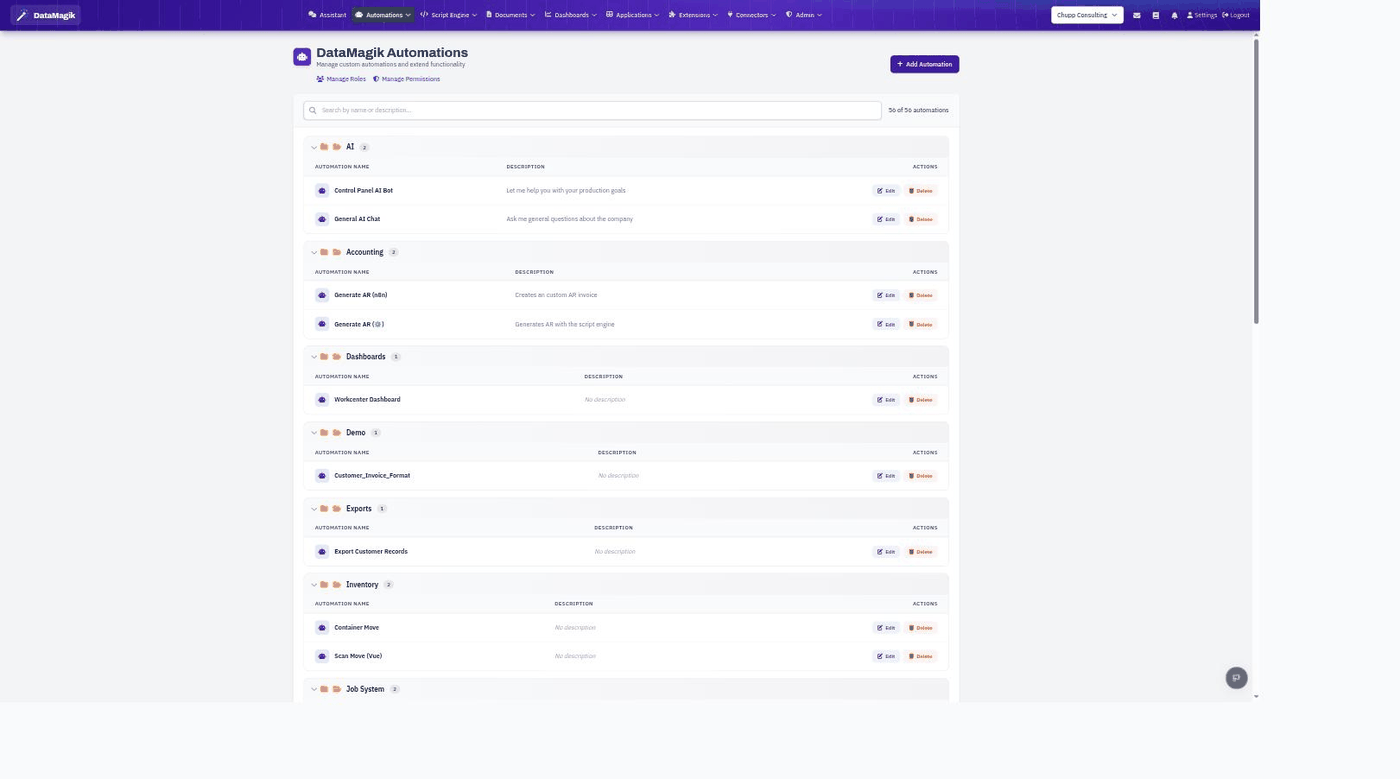
The automations manager
- Automations are grouped into folders (for example AI, Accounting, Inventory) so large libraries stay organized.
- Each row shows the automation's name and description, with Edit and Delete actions.
- Use the search box to find an automation, and Add Automation to create a new one.
- Manage Roles and Manage Permissions control who can run and edit automations.
How automations work
An automation pairs a trigger — what starts it, such as a schedule, an inbound email, a button, or an API call — with actions — what it does, such as querying data, generating a document, sending an email, calling a script, or requesting an approval. You build the flow visually in the editor, test it, and publish it. The full list of action types is in DataMagik Automate.
For deeper logic, automations can call the Script Engine; to pause for a human decision, they can create an Approval; to hand a job to an AI agent that runs on its own, add a 🤖 Run an AI Agent action (see When AI Agents Run); and you can start from a pre-built bundle with Solution Recipes.
Permissions: Building automations requires the Builder permission.