Change History & Audit Trail
Change History & Audit Trail
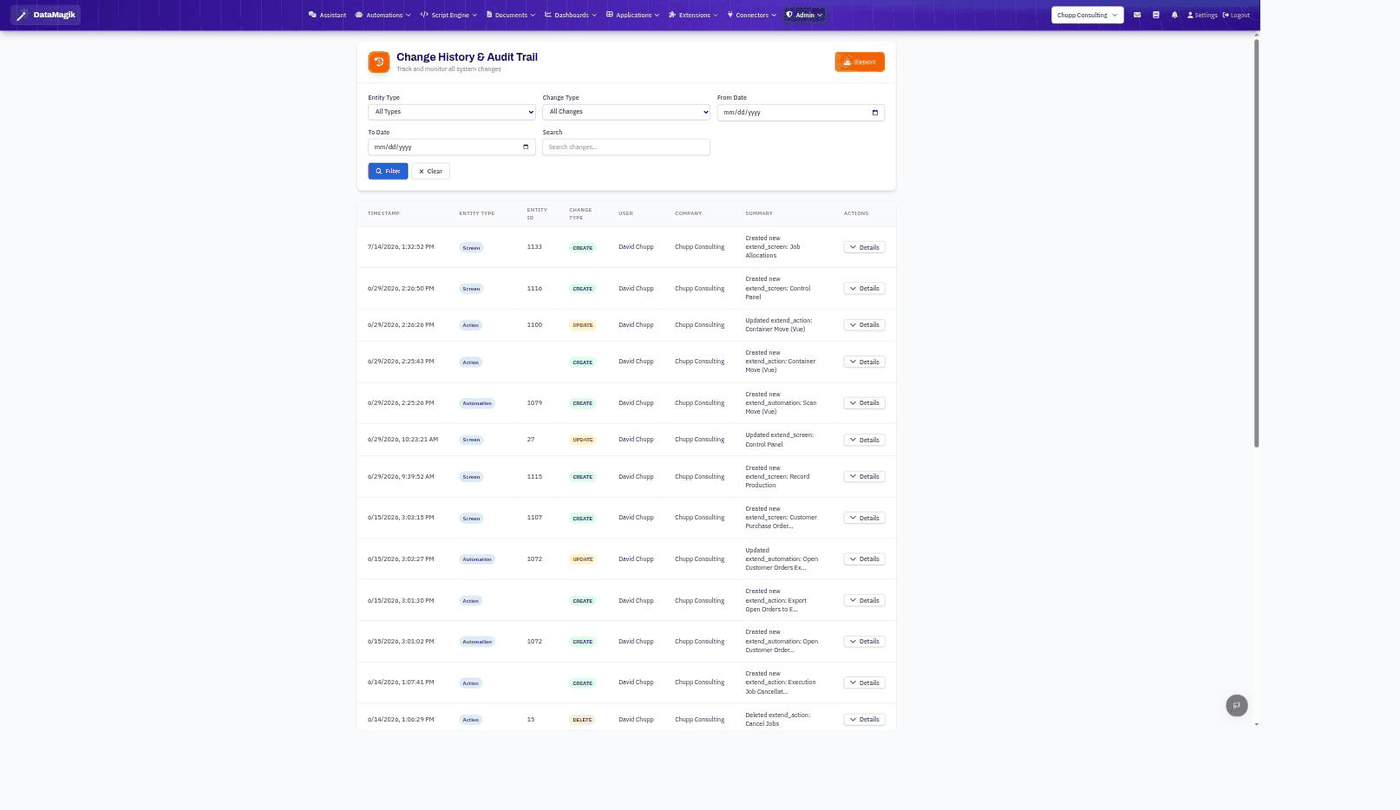
The Change History screen is a company-wide audit trail: a filterable, exportable record of every change made across your tenant — screens, actions, automations, and more — showing who did it, when, and what changed. It's the go-to place for security admins to answer "who changed this?"
Reading the log
Each row shows the timestamp, the entity type (Screen, Action, Automation, …), the entity ID, the change type (Create, Update, or Delete), the user and company, and a plain-language summary. Click Details on any row to see the full before/after.
Filtering & export
Narrow the view with the filters at the top — Entity Type, Change Type, a From / To date range, and a free-text Search — then click Filter. Use Export to download the filtered history for offline review or compliance records.