Storage & Data Retention
Storage & Data Retention
Two related controls govern where your generated documents live and how long they're kept: Company Storage Settings (optionally point storage at your own bucket) and the TTL / retention options (how long documents survive before automatic cleanup). Both override platform defaults, so you only touch them if you need something specific.
Company Storage Settings (bring your own storage)
By default, DataMagik stores your documents on the platform. If you'd rather keep them in your own object store, configure a bucket here. Leave fields blank to inherit the platform defaults.
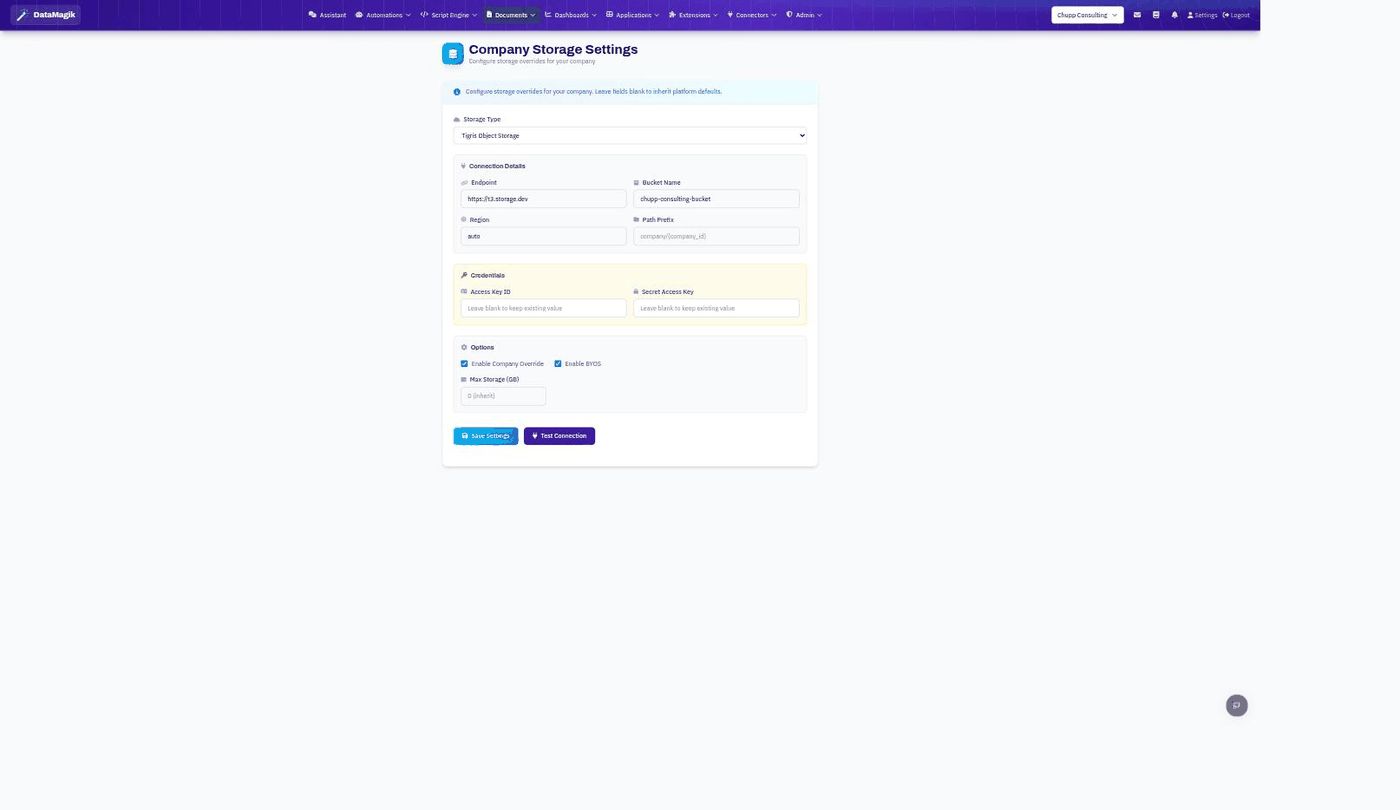
- Pick a Storage Type and enter the Endpoint, Bucket Name, Region, and optional Path Prefix.
- Enter the Access Key ID and Secret Access Key (leave blank to keep the existing values).
- Turn on Enable Company Override (and Enable BYOS for bring-your-own-storage). Optionally set a Max Storage (GB) cap.
- Click Test Connection, then Save Settings.
Document retention (TTL)
The TTL Management dashboard shows the time-to-live options that decide how long generated documents are retained before cleanup.
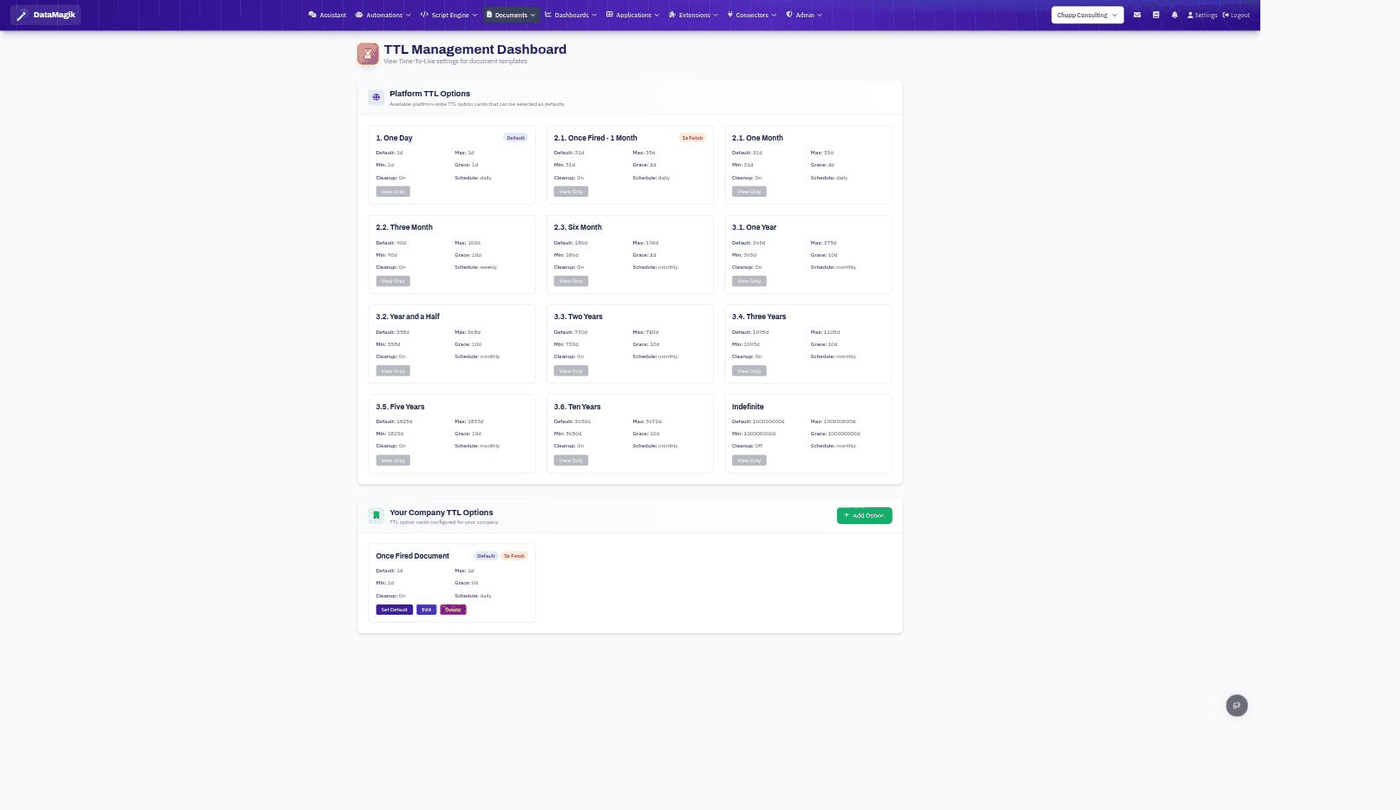
Platform TTL Options are ready-made presets (One Day, One Month, One Year, …up to Indefinite), each with a default, min/max, grace period, and cleanup schedule. Under Your Company TTL Options you can Add Option, Edit, and Set Default to choose which retention a document template uses — including "once fired" options that expire a document a set time after it's first fetched.