Using the drawing viewer
Using the drawing viewer
Open drawings and 3D models, measure them, and know which revision you are looking at.
The viewer shows one part at a time. Its header has the part number, the revision pill and a chip for each file: the drawing, the PDF, the 3D model and so on. Pick a chip to open that file. The download button saves the file, and the full-screen button gives it the whole screen.
Revisions
- A pill reading current in Plex means the drawing matches the part's current Plex revision.
- An amber pill and banner mean there is no drawing for the Plex revision yet: you are looking at the latest revision on file. Check with engineering before running to it.
2D drawings (DWG, DXF)
- Drag to pan; scroll to zoom. The toolbar has Fit to drawing, zoom out and zoom in.
- Measure: distance, angle, radius and area, in the drawing's own units. A hint above the toolbar says where to click; Esc stops. The eraser clears the measurements.
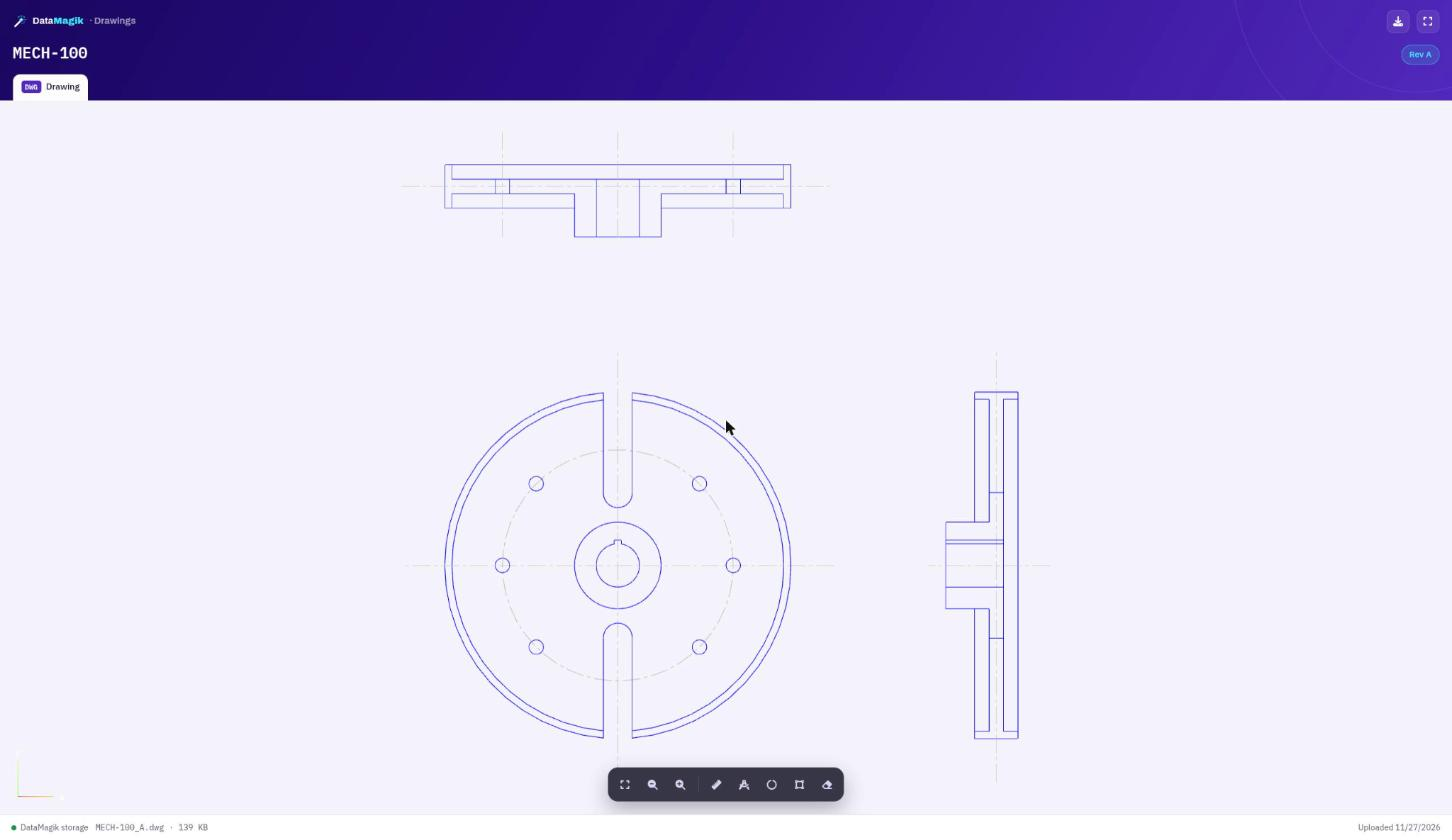
A DWG drawing in the viewer.
PDFs and images
PDFs open page by page; images open as they are.
3D models
- Drag to orbit, scroll to zoom. The toolbar has isometric, front, top and right views, Fit, edges on or off, and orthographic projection.
- Measure: click two points on the model for the distance between them, its X, Y and Z parts, and the angle between the two faces. STEP and IGES models measure in millimeters.
- Section: cut the model with a plane across X, Y or Z, and move it with the slider.
- Explode: spread an assembly's parts apart with the slider.
- Parts: list an assembly's parts. Untick one to hide it; point at one to highlight it.
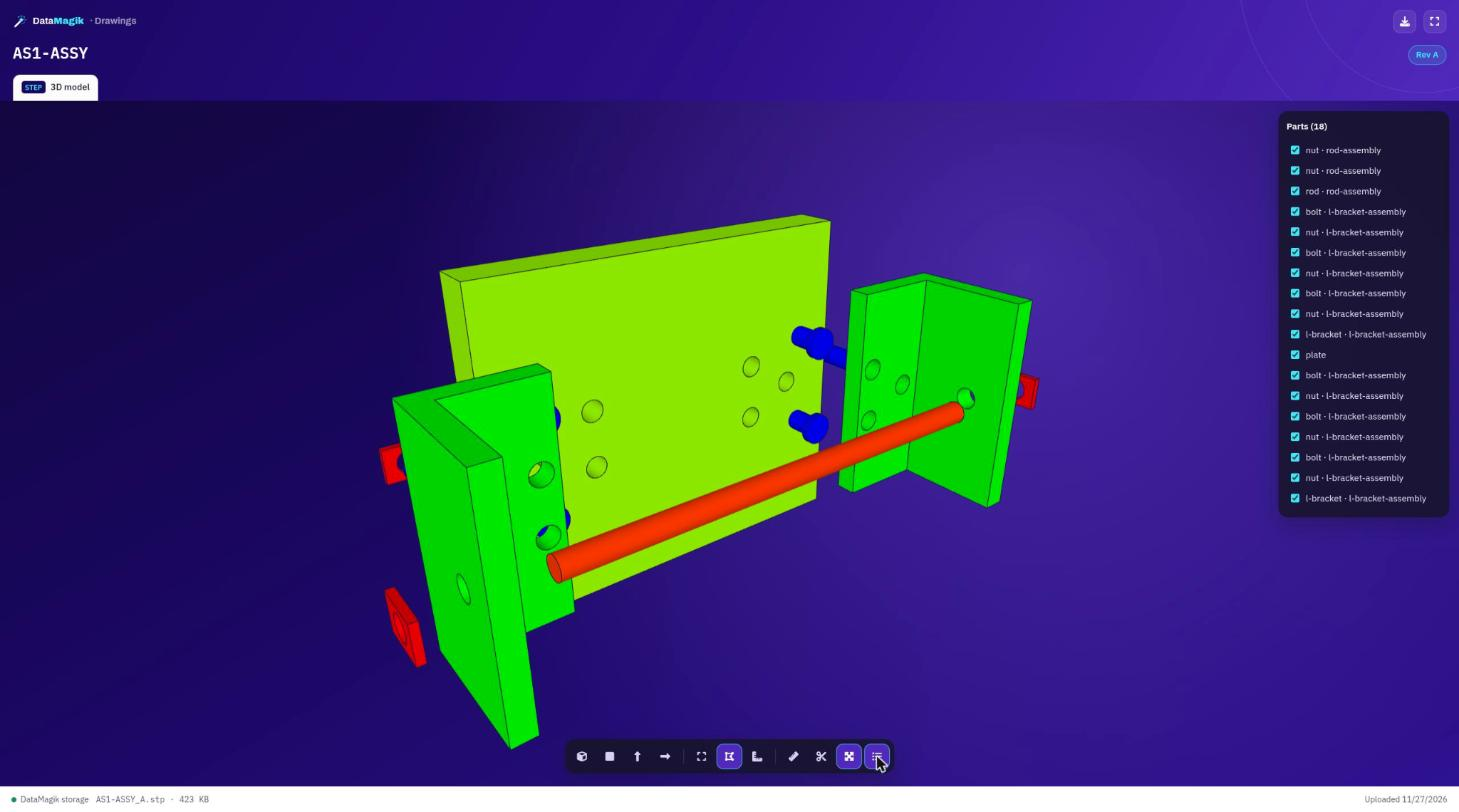
An assembly exploded, with its parts listed.
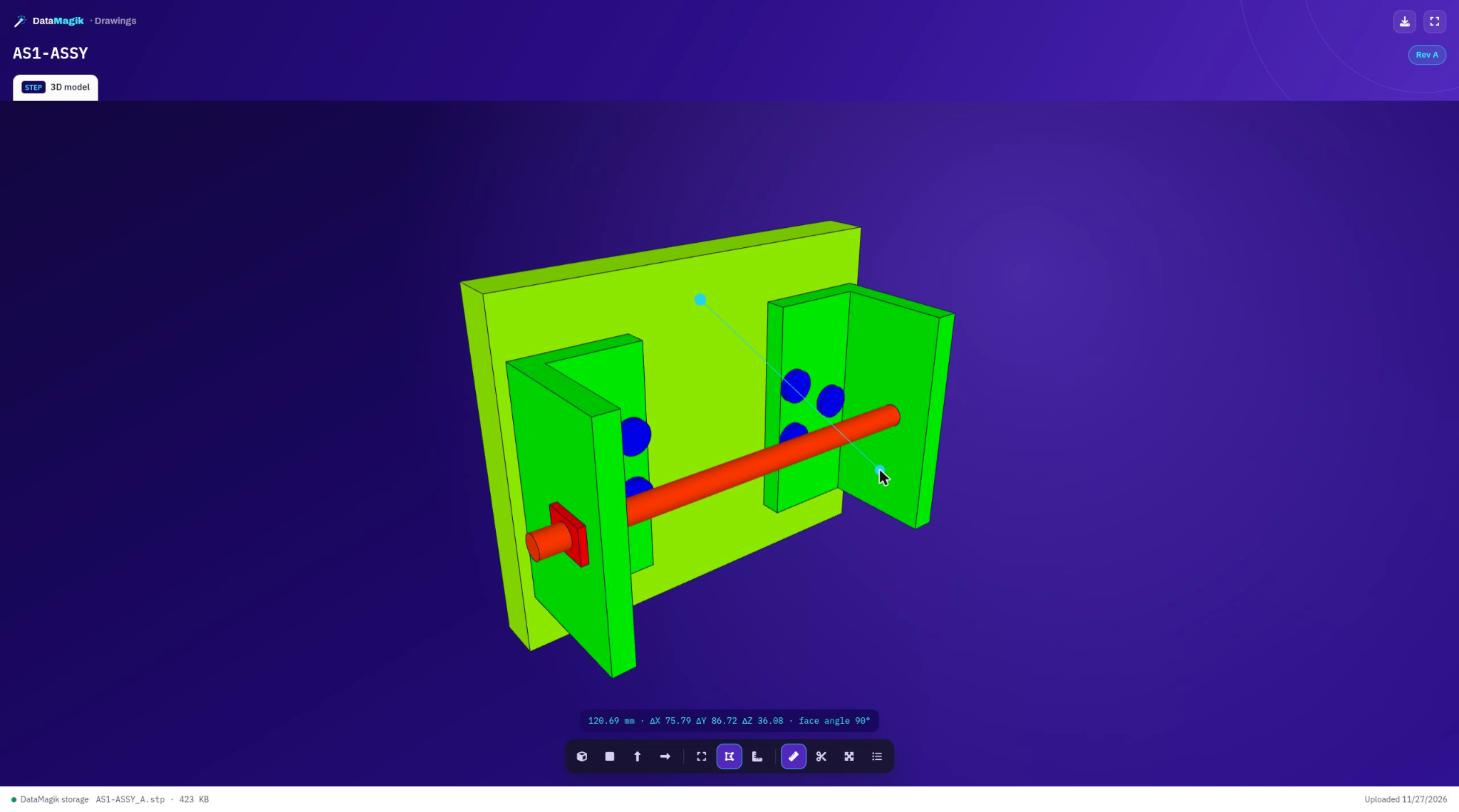
Measuring between two faces of a 3D model.
Large STEP and IGES files take longer to open: a 50 MB model can take a couple of minutes. You can keep working in Plex meanwhile.
When there is nothing to show
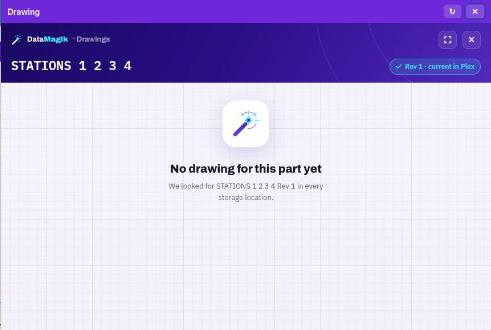
No drawing for this part yet.
No drawing for this part yet means no file was found for that part number in any storage location. Upload one in the library.